


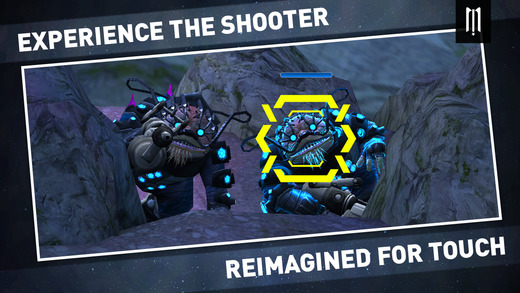

In Midnight Star, you play as 2nd Lt. Charles Campbell. After a close encounter with a deadly race of aliens, a mysterious event happens that wipes out all of Earth. With no recollection of the events and only cryptic clues to follow, it’s up to Charlie to piece together what happened and save the entire universe in this massive first-person shooter adventure. We’ll help you take down all the bad guys with our Midnight Star cheats, tips and tricks strategy guide!
1. Actively reload instead of auto reloading!
Keep an eye on your ammo clips! When your current clip is about to empty, you’ll see an indicator at the top right, along with a warning at the top of the screen. When you are just a few shots away from an complete emptiness, it’ll say “Ammo critical”. Take this time to tap on your gun icon at the top right to do an active reload. Don’t wait for your clip to completely empty, as the automatic reload takes more time than an active one. Get in the habit of doing this as this will be one of the things you will be constantly performing!
2. Keep an eye on the enemy indicators!
The two indicator buttons on the left and right sides of the screen allow you to rotate and change your field of view. When there are enemies present, the corresponding indicator turns blue, and there will be a number that shows how many enemies there are. If they’re advancing towards you, it’ll turn yellow. When an enemy is preparing to attack you, it’ll turn red. Keep an eye on these indicators and make sure you don’t get blindsided!
3. Look for element and health crystals!
Laid around the levels, sometimes you’ll find colored crystals sitting around. Blue crystals will exploded into element shards which you can collect when shot, while red crystals will drop health shards. Tap the shard to collect them! If there are health shards on the ground around you, there will be red + indicators next to your regular indicator buttons. Collect them if you’re low on health!
4. Utilize your shield!
Holding two fingers on the screen will make your shield activate. There’s a middle point of the shield, which originates wherever your two fingers are. You want to try to center the projectiles into the middle point to maximize shield potential. Your shield has an energy gauge that refills over time and is weakened every time it absorbs a projectile. The closer the projectiles are to the center of the shield, the less energy it’ll lose, so try to block your shots accurately!
5. Try out Hardcore and Psychotic!
If you manage to three star a level on the regular campaign difficulty, you’ll unlock the Hardcore and Psychotic difficulties, psychotic being harder than hardcore. Each mode is substantially harder than the regular default difficulty, but as a result the rewards are greater! You earn more resources in these modes, but make sure you are prepared!
6. Kill fast!
The main scoring mechanism works like this: when you get a kill, your score multiplier goes up one. Between each kill, you have a limited amount of time (about 3-5 seconds) before the multiplier resets back to one. Basically, shoot as much as you can! This is why active reloading is very important so that you can keep up your fire.
That should be a good starting point for your epic journey. Midnight Star is a vast game with a bunch of guns and enemies for you to take down, so have fun! If you have any other questions or suggestions, leave a comment below!









Published: Feb 6, 2015 03:09 am