



The PlayStation Network is no stranger to errors and downtimes, so we’re always quick to jump to troubleshooting whenever we experience some errors. Unfortunately, it seems that the PlayStation Network got hit with some unexpected maintenance earlier today. We’ll help you out with our guide on how to fix PlayStation party network error.
Troubleshooting PlayStation Party Network Error
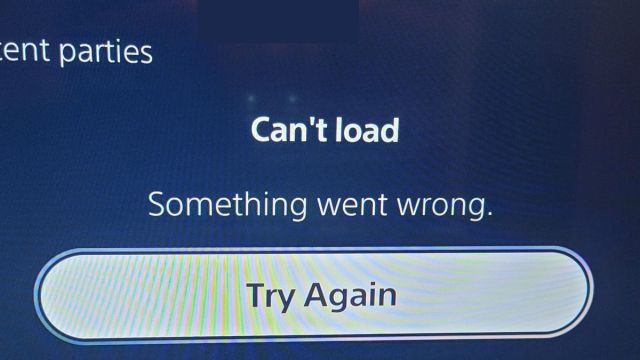
Since yesterday, many PlayStation 4 and 5 players have been experience network errors. Some store pages won’t load, online play is a hit or miss, and the most experienced problem is that private parties and chat won’t work.
Please note that the PlayStation Network, as of yesterday, seems to be partially down, and it’s not being officially reported. If you head to the official Sony PSN service status website, it’ll report that everything is working fine.
However, if you go to a community-ran website like Downdetector.com, you’ll find that PlayStation Network has been having issues since last night.
Related | How to Fix Playstation Error WS-43680-1
Keeping that in mind, we can offer you some general troubleshooting tips, but you probably won’t have too much success with anything. The reason being is that this is completely on Sony’s side, and not yours, so there’s not much to do besides wait for them to bring PlayStation Network back online.
First off, a power cycle on your router should always be your first step when troubleshooting network errors. Sometimes routers can just get congested, and a good old-fashioned reset might do the trick.
Secondly, you might need to port forward for your PlayStation. Most modern routers have UPnP enabled by default, which should automatically take care of this for you. If it doesn’t, you’ll need to open ports TCP 80, 443, 3478, 3479, 3480 and UDP 3478 and 3479 on your router. Consult your router’s manual for instructions on how to port forward.
Third, ensure that your PlayStation 4/5 is running the latest system software version. Lots of connections issues can be resolved by simply updating your system software.
Those are the most common troubleshooting tactics. If nothing works, remember to keep in mind that there’s a good chance the issues aren’t on your end. Simply be patient and wait for updates from Sony.
Since the issue isn’t being reported on the official Sony status tracker, we have confidence that they’re already in the process of hot fixing whatever went wrong. Expect to see full network stability hopefully soon.
That concludes our guide on how to fix PlayStation party network error. If we get any updates on the situation, we’ll let you know here. Until then, leave any questions or suggestions you have in the comments below.









Published: Jan 18, 2023 08:37 pm