


Editing structures in Fortnite Mobile is not unlike the mechanics of this feature in Fortnite on console or PC. Once you figure out the edit buttons and which areas to remove or change, it just takes some practice to become a speedy build master. Find out how to edit your builds in Fortnite in our handy guide below.
Editing Builds in Fortnite Mobile
Fortnite’s building mechanic is part of its unique charm and a huge part of why it continues to be so popular. You can use building to get to awkward areas, to protect yourself from enemies, and to camp out for a while. In Fortnite Mobile, they added the option to change up your HUD to your own liking, and it is well worth playing around with the settings until you have it exactly right.
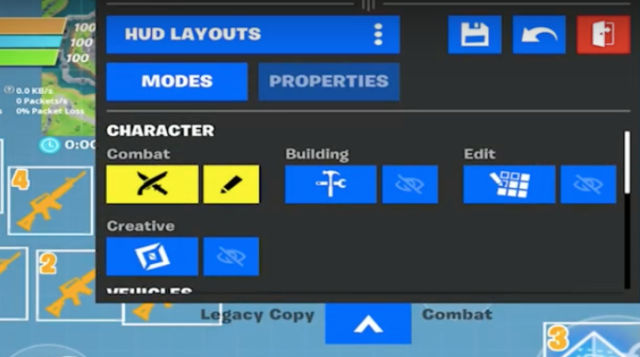
Check out Ducky’s guide below for a detailed guide on how it all works.
Once you have your HUD settings just right, you can start building and editing! Make sure you have enough materials to build the wall, stairs, or roof you desire, then tap your build button. Once you selected the material and structure you want to build, simply place it where you want it. Next, tap the edit button—it looks like a square made up of smaller squares.

Once you are in the editing screen, you can make your walls have windows, change the shape of them, or give yourself a door.
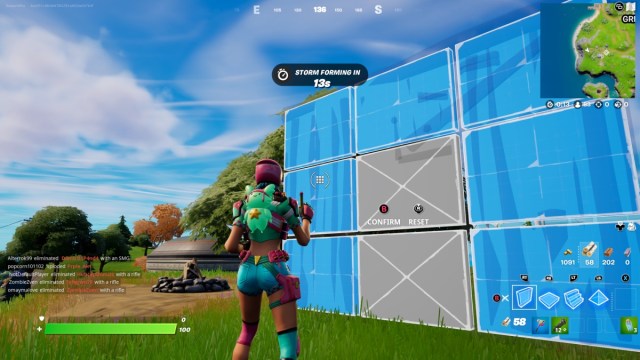
Tap the square you want to remove and then confirm the build.
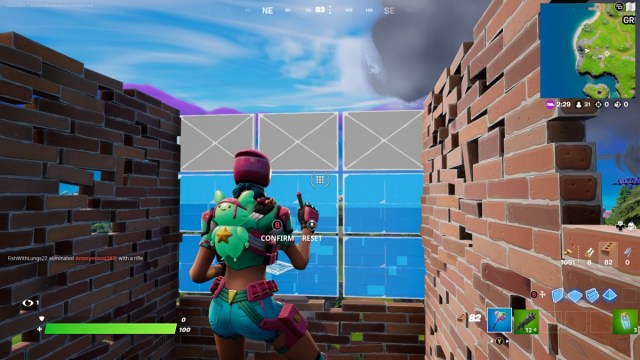
Stairs can be edited to turn them into spiral staircases, or to change the direction of them in case you build them the wrong way.
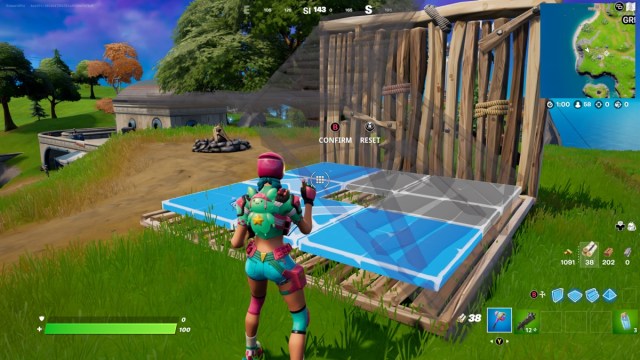
A roof can be edited to quickly release you from cover, or to create a slope. Many players use these instead of stairs due to their versatile nature.

Check out SurfnBoy’s brilliant guide for a full walkthrough on how to become a build and edit master in Fortnite Mobile.
Good luck and happy building!









Published: Feb 20, 2022 10:14 am