




When exploring the world of Teyvat in Genshin Impact, it’s easy to become overwhelmed with activities and locations to explore. So much so, in fact, that if you’re one who makes a lot of purchases in the game, you may end up not even checking your in-game purchase history at all.
However, it’s important that you keep regular track of your spendings in gacha titles such as Genshin Impact, and in this article we’ll be guiding you on how to check your in-game purchases in Genshin Impact.
How to Check In-Game Purchases in Genshin Impact
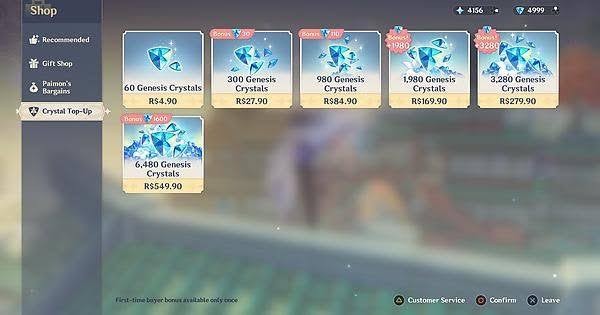
Although Genshin Impact is a free-to-play game, Hoyoverse encourages some spending with real money once in a while. From purchasing limited five-star characters to five-star weapons, there are dozens more items to spend money on in Genshin Impact.
So whether you’re a minimal or frivolous spender on the game, it’s always a good idea to check your in-game purchase history every once in a while. Unfortunately, Hoyoverse does not have an official in-game method that allows players to view their Genshin Impact purchase history. So in order to do this, you’ll have to check your credit card statements or PayPal transaction history.
Another way to check the things you’ve purchased in Genshin Impact is from the Crystal Top-Up section of the shop. Players are given a double bonus every year after purchasing a specific bundle for the first time as well.
The only way to check your Genshin Impact in-game purchases is by reviewing your own payment method. Hoyoverse has yet to implement this feature in the game, but we hope they will in future updates.









Published: May 13, 2022 03:53 pm